# Set up Meta Conversions API
Source: https://skro.eu/docs/facebook/how-to-integrate-facebook-capi
Enable Meta Conversions API in Skro, configure conversion events and pixels, and connect them to your campaigns.
Meta Conversions API sends conversion events from Skro to your connected Meta ad account. Complete the [Meta Ads integration](/docs/integrations/facebook-meta-ads-integration) before configuring conversion reporting.
## Step 1. Enable the conversion integration [#step-1-enable-the-conversion-integration]
1. In Skro, open **Settings → Integrations**.
2. Edit your existing Facebook (Meta) integration.
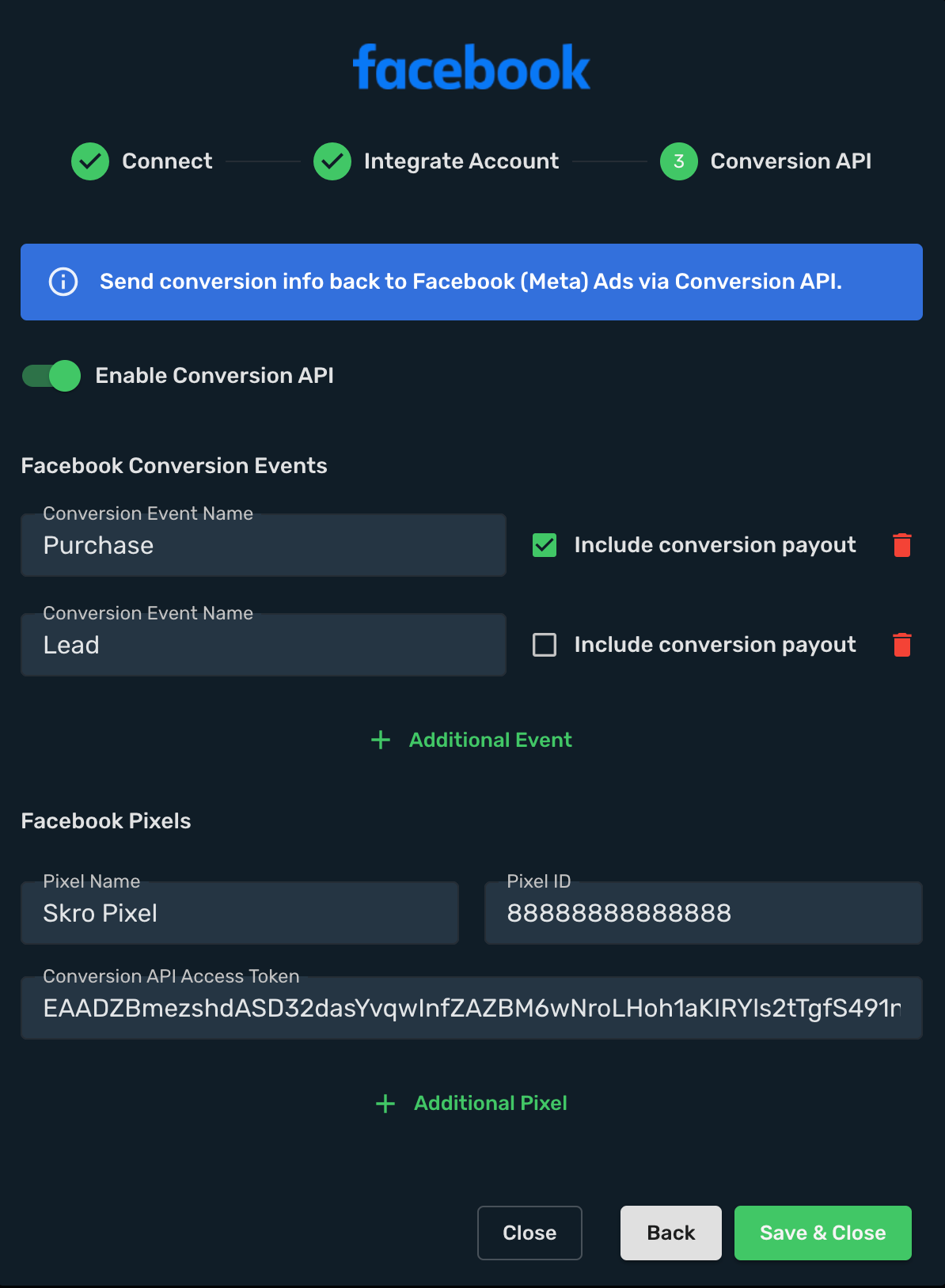
3. Open the **Conversion API** step and enable **Conversion API**.
## Step 2. Configure conversion events [#step-2-configure-conversion-events]
| Field | Configuration |
| --- | --- |
| **Conversion Event Name** | Add the events you want to send, such as `Lead`, `Purchase`, or `Subscribe`. |
| **Include Conversion Payout** | Enable this option to send the event’s revenue and currency to Meta. |
Select the appropriate conversion event when creating a campaign in Skro. To track multiple event types, such as `AddToCart` and `ViewContent`, configure [custom conversions](/docs/postback/custom-conversions).
## Step 3. Add your pixel [#step-3-add-your-pixel]
1. Enter a descriptive **Pixel Name**.
2. Enter the **Pixel ID** used for your Meta and Skro campaigns.
3. In Meta Events Manager, select the pixel and open **Settings**.
4. Find the Conversions API settings and generate an access token.
5. Paste it into **Conversion API Access Token** in Skro.
6. Select **Save & Close**.
## Step 4. Review the saved integration [#step-4-review-the-saved-integration]
Confirm the connected ad account and select the integration in the relevant traffic source. The integration view also provides cost synchronization controls and options to edit or renew access.

## Verify conversion reporting [#verify-conversion-reporting]
Trigger a test conversion from a tracked campaign. Confirm the event appears in Skro and reaches the intended Meta pixel with the configured event name.
If reporting stops, check the selected integration and pixel, event mapping, and access token. Renew access when the token is revoked or no longer valid.
## Related guides [#related-guides]