

Follow the click.
Understand the return.
Connect the traffic you buy to the conversions and revenue it produces. Track campaigns with redirect or direct links, carry click IDs through your funnel, and compare results across your traffic sources.
Start with the Free plan. No credit card required.
An ID that connects the journey.
click_7f2a…- Redirect & direct tracking
- Custom conversion events
- Cost, revenue & ROI together
Connect with the tools in your workflow






A click is the beginning of the story.
When ad spend, landing-page activity, and offer payouts live apart, it is difficult to see what deserves more budget. Skro connects the steps around the original tracking click.
Choose the tracking flow
Use redirect tracking, a direct destination with the supported tracking script, or an S2S conversion workflow. Configure a custom tracking domain and SSL for your setup.
Keep the useful context
Pass source parameters and sub-IDs into your campaign. Analyze results by campaign, offer, landing, country, device, browser, and custom tracking values.
Count the events that matter
Separate purchases, leads, registrations, upsells, and other custom events. Choose how each event contributes to reporting totals and outgoing source postbacks.
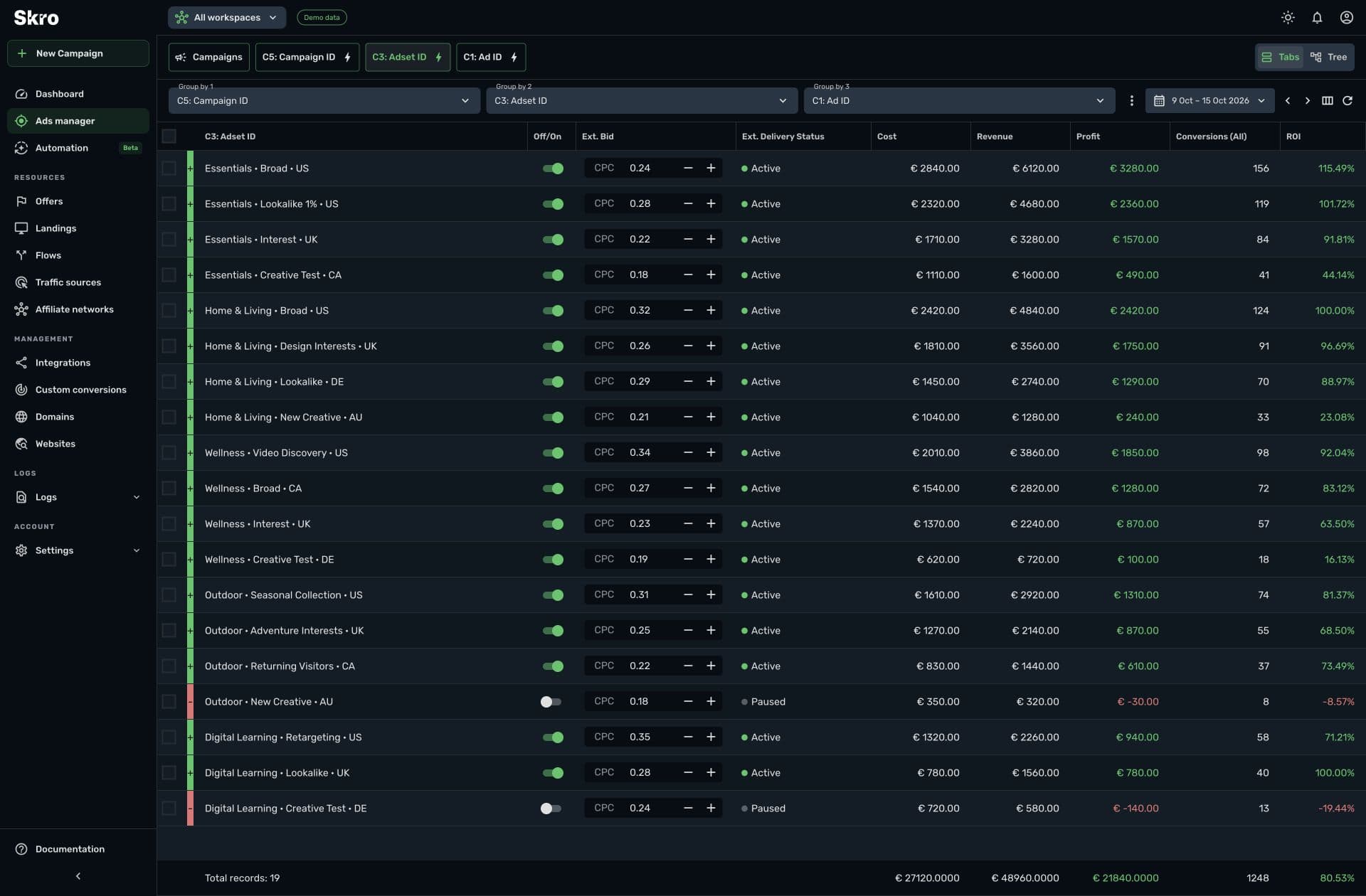
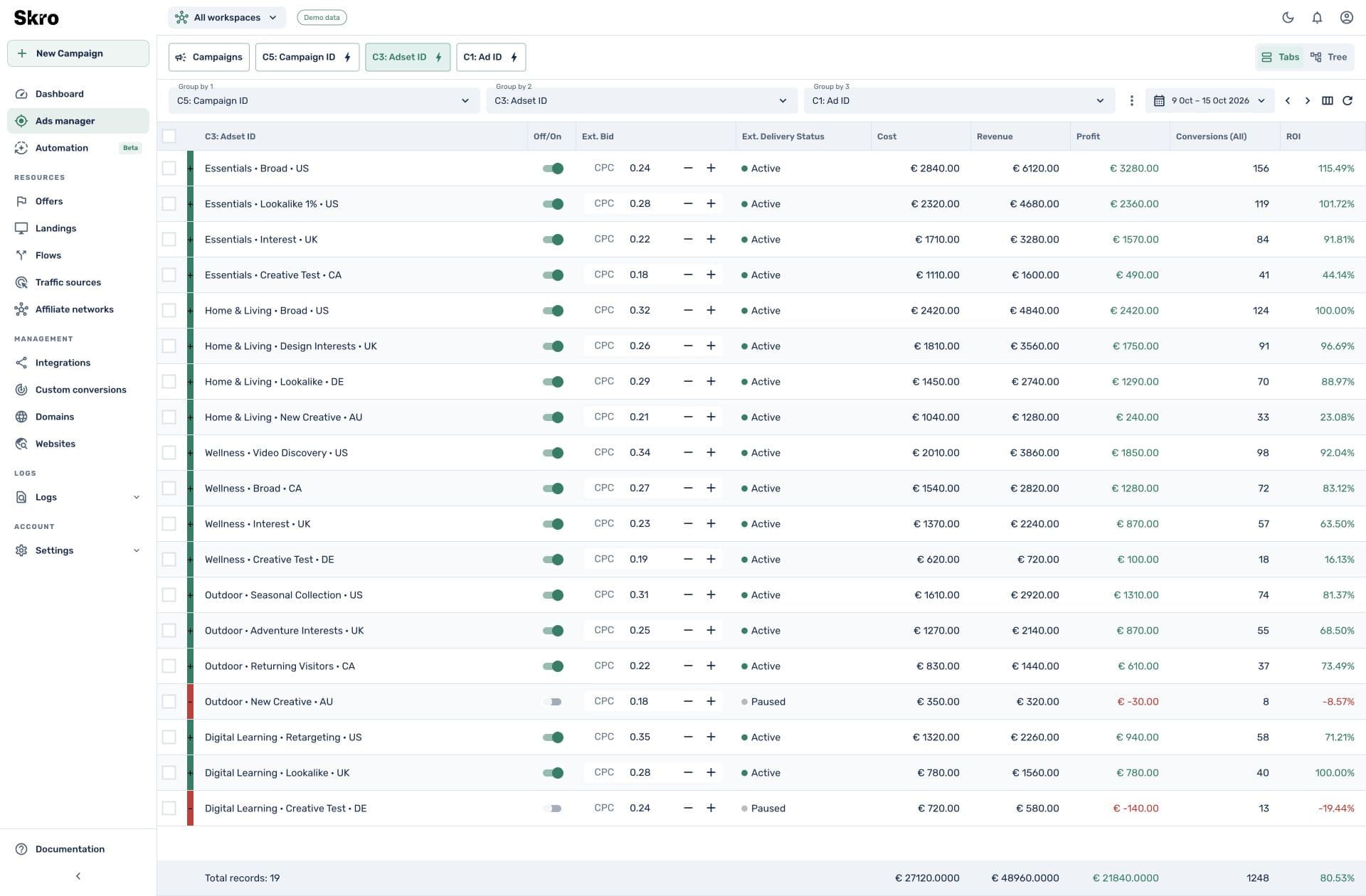
Turn campaign traffic into a decision-ready report.
Bring conversion revenue and advertising cost into the same view. Explore profit, ROI, conversion rate, and the dimensions that explain the result instead of treating all visits alike.
- Supported automatic cost integrations and flexible cost models
- First-click, last-click, and last-paid-click attribution options
- Click, conversion, and outgoing postback logs for investigation
Connect three parts of your funnel.
- 01
Capture the visit
Create a campaign, configure the source parameters, and select a tracking method for your destination.
- 02
Preserve the click ID
Pass the Skro click ID into the offer, checkout, CRM, or call platform so the conversion can refer back to it.
- 03
Return the conversion
Send the event and payout through a postback or supported webhook, then verify the result in reporting.
Built to be set up.
Guides to get you there.
Follow the workflow for your platform, then test the full path before relying on campaign results.
Do I need to redirect every visitor?
No. Skro supports redirect and direct tracking approaches. Direct setups use the supported scripts and URL parameters described in the integration guides.
Can I track several events from one funnel?
Yes. Define custom conversions, pass their event values, and use transaction IDs and event settings to distinguish the events in your setup.
Can I use my own domain?
Yes. Skro supports custom tracking domains and SSL. Configure DNS and follow the provider-specific domain guide before using the links.
Where do campaign costs come from?
Use supported traffic-source cost integrations or the campaign’s configured cost model. Review the source setup, currency, and reporting period when comparing cost and revenue.
Know where your next conversion came from.
Build a tracking flow that connects your ad spend to the events your business values.