

RSOC tracking: connect provider revenue with ad spend
Understand RSOC tracking, map the right provider identifiers, and bring synchronized revenue together with campaign costs to measure search arbitrage profit.
campaign → earningsIn this article
Your traffic source shows what you spent. Your search provider shows what you earned. To decide whether an RSOC campaign deserves more budget, you need those numbers connected to the same campaign and reporting period.
That is the job of an RSOC tracking setup: record the incoming traffic, preserve the identifiers used by the provider, and connect reported earnings with acquisition cost. Counting search interactions alone does not give you that financial picture.
What needs to be connected in an RSOC campaign?
RSOC stands for Related Search on Content. A visitor opens a content page, selects a related search term, and reaches a search results page where relevant ads can appear. Google's related search overview explains the format and its implementation requirements.
For reporting, separate three parts of the journey:
| Part | What you need to know | Where it comes from |
|---|---|---|
| Acquisition | Which campaign brought the visitor, and what did that traffic cost? | Your configured campaign tracking and traffic-source cost setup. |
| Interaction | Did a supported search or monetization event occur? | Provider postbacks, where available and configured. |
| Earnings | How much revenue did the provider report for the mapped identifier? | The provider's revenue synchronization integration. |
The identifiers used for these jobs are not interchangeable. A Skro click ID can match an interaction to a visit. A provider campaign or channel ID can identify the group whose revenue is returned by an API. Some revenue reports are aggregated; a click-level event does not automatically mean click-level earnings are available.
Why revenue synchronization is separate from postbacks
A postback can tell Skro that a visitor completed a supported action. Revenue synchronization retrieves the earnings reported by the connected provider and maps them through the integration's supported identifiers.
This distinction matters when an early event has no payout or when provider earnings change later. A search interaction can be useful for understanding the funnel without being a final revenue event. If you count every interaction as an approved, payable conversion, your totals can tell the wrong story.
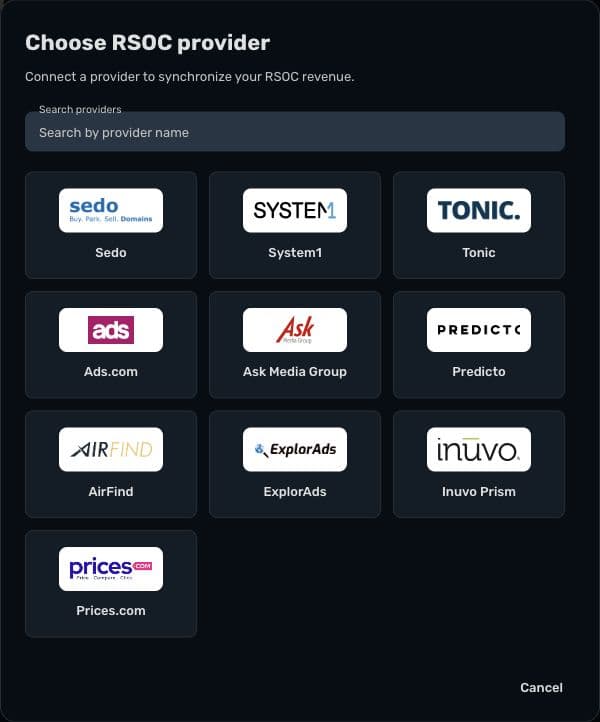
In Skro, choose the relevant provider under Integrations → RSOC. The RSOC setup overview links to the documented workflows for System1, Ads.com, Inuvo Prism, Airfind, ExplorAds, Predicto, Sedo, and Tonic.
Map the identifier your provider actually reports
Start from the provider guide, rather than copying another provider's parameter names. In the documented Ads.com workflow, for example, the offer URL contains a provider campaign identifier and a separate parameter carrying Skro's click ID. The matching provider identifier also belongs in the offer's RSOC Channel/Campaign ID field.
Inuvo Prism uses a different mapping described in its own guide. The question is always the same: does the identifier saved in Skro match the identifier returned by this provider's reporting account?
Keep a short mapping record for each setup:
- The provider and connected reporting account.
- The provider identifier and the Skro offer or campaign it belongs to.
- The event selected for synchronized revenue, if required by the integration.
- The earnings currency and the reporting period used for comparisons.
Follow the Ads.com guide or Inuvo Prism guide for the exact fields. A familiar-looking identifier in the wrong field can leave revenue unmapped even while visits and postbacks are arriving.
Worked example: a profitable-looking campaign changes after sync
Consider a fictional campaign with €200 in advertising cost for a completed reporting day. Its first available provider earnings total is €260. A later update adjusts that total to €230.
| Metric | Initial earnings | Adjusted earnings |
|---|---|---|
| Campaign cost | €200 | €200 |
| Provider revenue | €260 | €230 |
| Campaign profit: revenue − cost | €60 | €30 |
| Campaign ROI: profit ÷ cost × 100 | 30% | 15% |
The campaign is still above its recorded advertising cost, but its margin is smaller. A rule or manual decision based on the initial 30% return would be using an earlier version of the earnings data.
These figures illustrate the calculation; they are not a customer result or an expected provider adjustment. They also exclude any business costs not included in the campaign's cost figure.
The practical response is to compare revenue at similar levels of maturity. Keep recent periods available for monitoring, but allow for the provider's synchronization schedule and adjustment window before treating a result as settled. Those windows differ by integration; there is no single delay that applies to every provider.
Check the setup before increasing spend
Choose one provider and one campaign for the first reconciliation. Compare its revenue with the provider's own report using the same mapped identifier, date range, and currency. Then check that the corresponding acquisition cost is present in Skro.
If the figures differ, investigate in this order:
- Mapping: does the offer use the correct provider identifier?
- Scope: are both reports showing the same account, campaign group, and dates?
- Event configuration: is synchronized revenue assigned to the intended custom conversion event?
- Timing: has the expected synchronization run, and can earlier revenue still be updated?
- Currency: are you comparing amounts expressed in the same currency?
Do not add a postback payout and synchronized earnings together without understanding whether they describe separate revenue. The objective is one accurate earnings total for the activity, not a higher number of revenue sources.
Put the revenue into a campaign decision
Once the mapping is reliable, compare campaigns using cost, synchronized revenue, and campaign profit together. A campaign with more search activity may still earn less after acquisition cost. A campaign with incomplete recent revenue may look worse than an older one whose earnings have already been updated.
Start with the RSOC provider setup guides, then use custom conversion settings to keep interaction events and revenue meaningful. The RSOC tracking solution shows how the parts fit together in Skro.
For the next review, pick one completed day, reconcile one provider identifier, and verify its cost and earnings before comparing the rest of your campaigns.