

Why Meta Ads, your tracker, and your network show different numbers
Reconcile ad reporting differences by checking conversion definitions, dates, timezones, attribution, approval status, revenue, and synchronization delays.
record → match → attributeIn this article
Meta reports 24 conversions. Your affiliate network shows 20 sales. Your tracker displays 18 approved conversions. Before deciding that one system is broken, establish what each number means.
Different totals can come from different questions: which action occurred, which date it belongs to, which advertising interaction receives credit, and whether the network has approved the payout. They can also reveal a genuine tracking problem. Reconciliation is how you distinguish the two.
Start by agreeing on the outcome
Write down the business event you want to compare. A lead is not a sale. A sale awaiting approval is not an approved payout. A purchase and an upsell may be two events attached to one customer journey.
In Skro, custom conversion settings determine whether an event contributes to Conversions (All), Conversions (Approved), and Revenue. Those choices are separate from sending an event to a connected traffic source. Check the custom conversion guide before treating two columns with similar names as equivalent.
Use a short comparison statement: “Completed purchases for this campaign, in this currency, for this date range, with these approval rules.” If you cannot write that statement consistently for the reports, comparing their headline totals will be inconclusive.
Align dates, timezone, and reporting scope
Choose a completed period and record its timezone. “Yesterday” can cover different hours in two accounts. Check which campaign, traffic source, workspace, offer, and filters are included.
Next establish how each report assigns dates. An interaction, an order, a postback, and a later approval can happen on different days. Do not assume that every system groups conversions by the same occurrence time or click date. Confirm the relevant report settings and provider documentation.
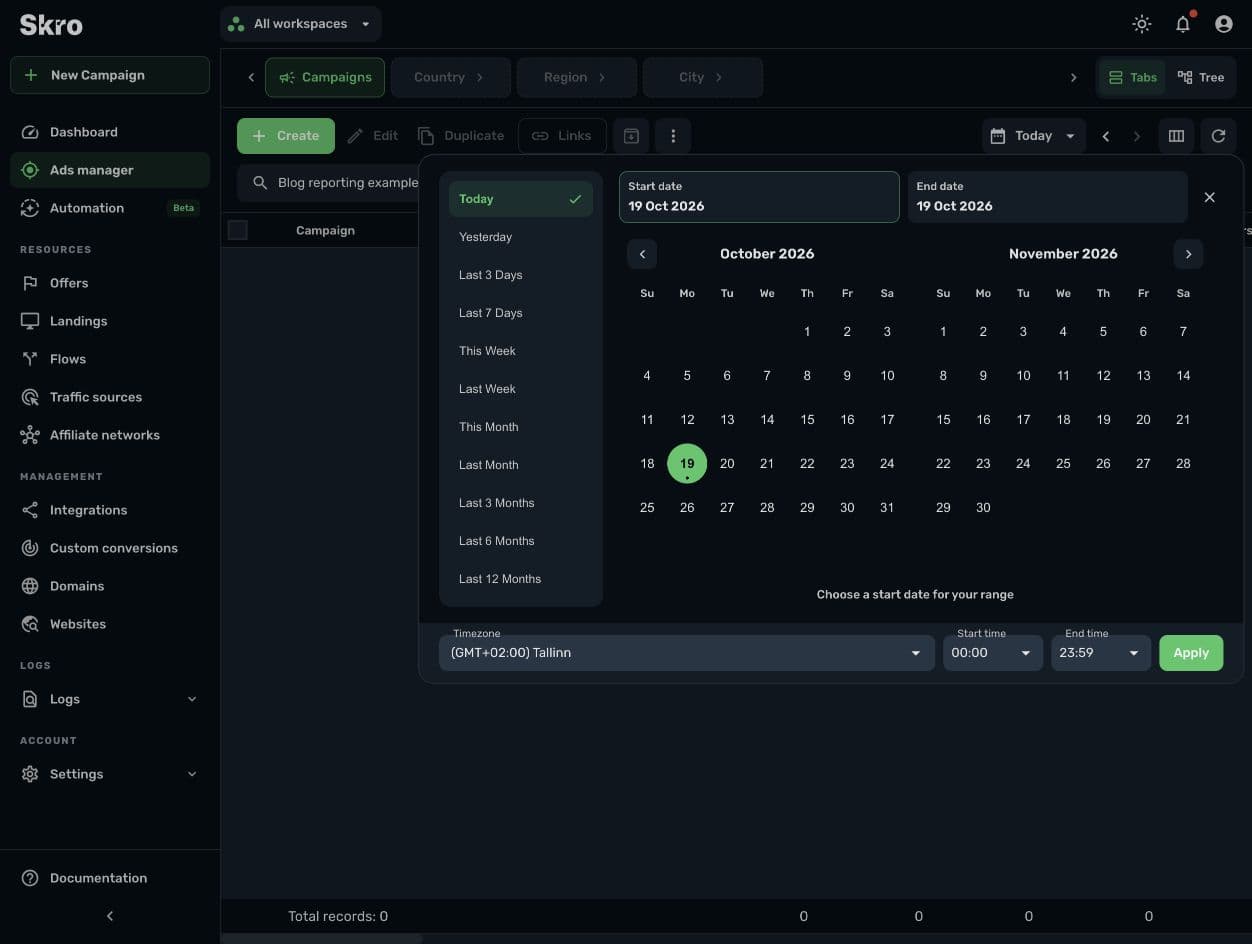
For current-day reports, check synchronization and delivery freshness before changing the implementation. A delayed cost update can distort return calculations even when conversion tracking is correct. RSOC provider revenue can also be updated after an initial report; see the RSOC tracking workflow.
Separate event receipt from attribution
A system can receive a conversion without crediting it to the same advertisement as another system. Attribution rules determine which eligible interactions receive credit, including the relevant lookback window and supported interaction types.
Keep the questions separate:
| Question | What to inspect |
|---|---|
| Did the business event happen? | The order, lead, or transaction in the source system. |
| Did Skro receive and match it? | The returned click ID, event mapping, status, and revenue in Skro. |
| Did the ad platform receive the outgoing event? | The configured integration and the destination platform's event diagnostics. |
| Did the ad platform attribute it to an ad? | That platform's attribution settings and eligible interactions. |
Adding totals from several ad platforms does not establish a unique sales count. Different platforms can credit their own interactions within the same customer journey. Likewise, a tracker cannot automatically match a conversion whose original identifier was lost before it reached the network.
Worked example: reconcile 20 sales with 18 approved conversions
The following is a fictional reconciliation for a completed period. Assume all 20 network sales have the correct Skro click IDs and are recorded successfully.
| System or column | Count | What it represents |
|---|---|---|
| Affiliate network sales | 20 | All sales in the selected network report, including two pending approval. |
| Skro Conversions (All) | 20 | The sale events configured to contribute to this total. |
| Skro Conversions (Approved) | 18 | The approved subset under this setup's event and status configuration. |
| Meta attributed conversions | 24 | A platform attribution total that still needs a comparable event, scope, and window. |
The difference between 20 total sales and 18 approved conversions is explained by the two pending outcomes in this scenario. It does not explain the remaining Meta difference. Investigate Meta's selected event, reporting scope, attribution window, and possible duplicate senders before reaching a conclusion about those 24 conversions.
Now suppose each of the 18 approved sales pays €25 and advertising cost is €300. The approved revenue in this example is €450, with €150 remaining above advertising cost. Counting the two pending payouts as already earned would show €500 and change the apparent return.
Your actual setup may recognize revenue differently. Document its rules rather than assuming that every pending event should have zero revenue or every approved event has a fixed payout.
Investigate a sample of individual events
When definitions and dates are aligned but the gap remains, choose a few transactions from the source system. Follow each one through the reporting chain.
- Find its original click reference and transaction reference where available.
- Check that the offer received the expected click ID.
- Inspect the network's postback configuration and supported delivery history.
- Verify the returned
clickId,ce, payout, currency, and status mapping in Skro. - If the event should go to Meta, verify the configured destination and event mapping separately.
For events sent through both browser and server paths, review their event identifiers and the receiving platform's deduplication result. A click ID identifies an interaction; it is not automatically the identifier for every purchase that follows. The Meta CAPI article explains that distinction.
Avoid sending repeated test postbacks into a live campaign simply to make totals match. Use a controlled test and understand the network's duplicate-conversion and update behavior first.
Keep a reconciliation note you can reuse
Record the date range, timezone, currency, filters, business event, approval definition, and last known synchronization time alongside the comparison. Classify each remaining difference as explained, pending an update, or requiring investigation.
There is no single acceptable discrepancy percentage for every setup. A small total gap can hide an important missing high-value sale; a larger temporary gap can come from an unfinished reporting period.
For the next review, take one campaign and a small set of source transactions. Use the postback parameter reference and your network's integration guide to trace them. Once the underlying events are clear, use Skro reporting to compare the campaign's cost and revenue on consistent terms.