

Conversion tracking not working? A campaign troubleshooting checklist
Find the earliest break in your tracking flow. Check campaign links, click IDs, postbacks, event mappings, payouts, and traffic-source delivery before launch.
verified → next handoffIn this article
Your campaign is spending, but the conversions column is empty. You could change the creative, replace the pixel, or resend the postback. A faster starting point is to identify the earliest handoff that has not been verified.
Follow one controlled journey from advertisement to conversion. At each stage, ask what evidence would confirm that the next system received the right information. This checklist helps you narrow the problem before making changes that could introduce duplicate clicks or conversions.
1. Does the intended campaign record the visit?
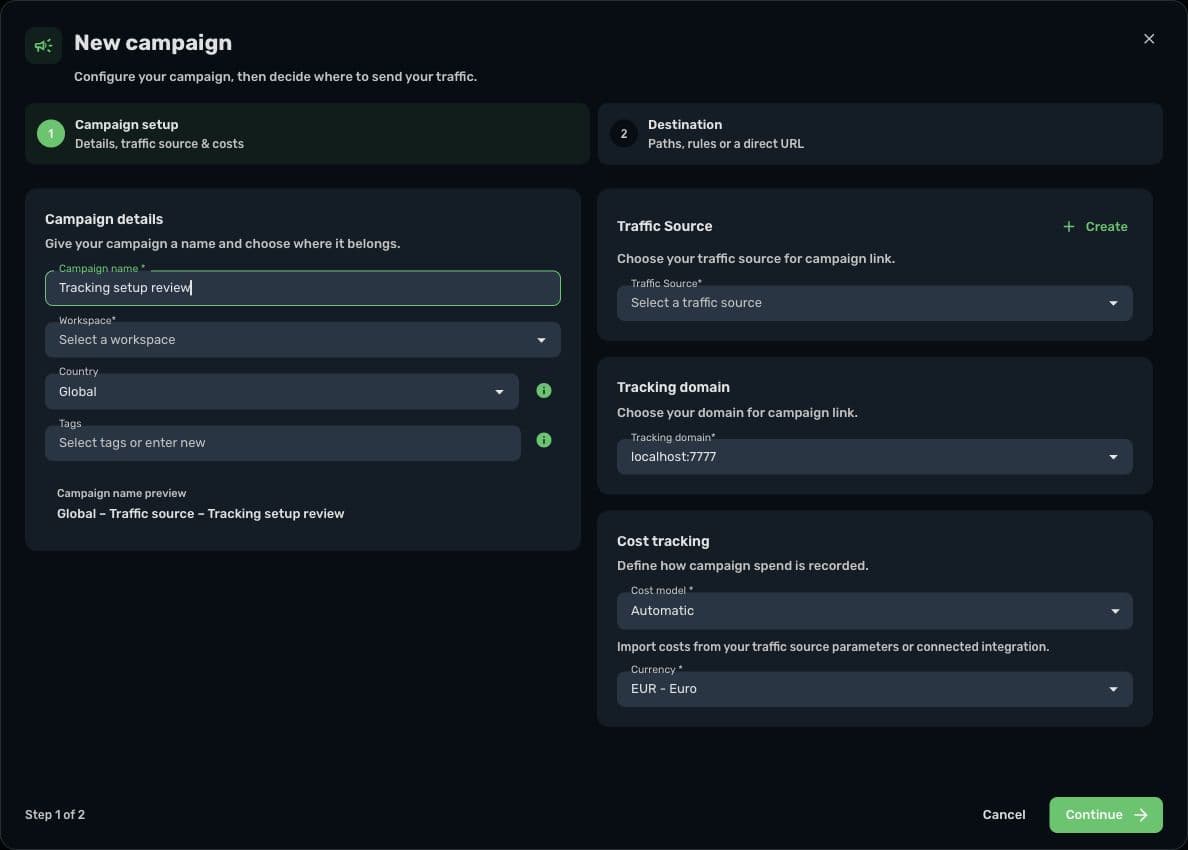
Start with the actual destination used by the advertisement. Confirm that it belongs to the correct Skro campaign and tracking domain. With direct tracking, check the configured page and script. With a redirect setup, check the generated campaign link and destination flow.
Verify that the page loads, that relevant browser or network errors are understood, and that the visit appears in the intended reporting scope. A successful page load alone does not confirm that the tracker recorded the interaction.
Use Skro's ad tracking overview to distinguish the supported flows, then follow the relevant traffic-source integration guide for your setup. Do not replace a generated campaign URL with a destination URL without checking which tracking method is intended.
2. Does the offer receive the original click ID?
Inspect the value arriving at the offer or network, not just the template saved in Skro. A placeholder in a template is expected; that same literal placeholder in the final request is a warning that substitution did not happen.
Check the destination field name and the value separately. A network may store a Skro click ID in its own sub-ID parameter. The postback must return that exact stored value, using the network's documented macro.
If there are redirects, prelanders, or another checkout between the visit and the outcome, follow the reference through each handoff. Avoid assuming that a value present on the first page survived the rest of the journey.
3. Does the provider send the callback you configured?
Use the provider's supported testing process and inspect its delivery history where available. Confirm the callback destination, parameter names, macro substitution, and the event that triggers delivery.
For Skro, the returned interaction reference belongs in clickId. Check whether your affiliate network configuration requires a protection token, and whether its status values need mappings. Use the postback reference for the fields and your provider's guide for the actual macro names.
An HTTP response alone is not a complete reporting test. Verify that the expected conversion and values appear in Skro after the supported processing flow. Likewise, a callback absent from the provider's own delivery history points to a different stage than a correctly sent callback with an incorrect click ID.
Worked example: the wrong sub-ID comes back
Consider a fictional network that stores Skro's click ID in s2. A test visit records click ID example-click-A, and the network confirms that its s2 value is example-click-A.
The callback template, however, uses the network's {s1} macro:
https://skrotrack.com/postback?clickId={s1}&payout=12Suppose s1 contains a placement label. The request can be sent successfully while returning the wrong interaction reference. Changing creatives or generating a new click will not repair that mapping.
| Checkpoint | Observation | Decision |
|---|---|---|
| Campaign visit | The test visit is recorded. | The first handoff is verified. |
| Network destination | s2 holds the expected click ID. | The offer received the reference. |
| Callback template | clickId uses {s1}. | Investigate the return mapping. |
| Corrected controlled test | The provider returns its saved s2 value. | Verify the resulting conversion and payout in Skro. |
The correction is to use the provider's documented macro for the stored s2 field. {s1} and {s2} are fictional provider conventions here, not instructions for every network. Follow the S2S postback explanation if you need to review the complete chain.
4. Does the event contribute to the columns you are checking?
A custom event may be recorded separately without contributing to the headline approved-conversion or revenue totals. Inspect its accepted ce values and reporting settings.
For example, a registration can help explain a funnel while a later approved purchase represents revenue. Verify the intended role of each event in Custom Conversions. Check the network's approval-status mapping as well; a familiar event name does not prove that its payout has been approved.
If conversions are visible but the amount is wrong, compare the received payout and currency with the underlying transaction. Check whether the configured payout is manual or supplied by the network, and whether a later event contains incremental or cumulative revenue.
5. Are dates, filters, and data freshness hiding the result?
Before changing a working integration, widen the investigation to include its reporting settings. Compare the same campaign scope, date range, timezone, and currency. Understand when the source event occurred and when the provider reported or approved it.
Some cost and revenue integrations synchronize on their own schedules. RSOC interaction postbacks and synchronized provider earnings are separate flows. A missing current-day revenue amount may need a synchronization check rather than a different pixel.
Use the reporting reconciliation article to investigate apparently conflicting totals without assuming a universal delay or acceptable discrepancy percentage.
6. Did the outgoing traffic-source event arrive?
If Skro shows the correct conversion but Meta or another connected source does not, investigate the outgoing integration separately. Review the destination account or pixel, the event mapping, integration access, and available delivery diagnostics.
Where browser and server copies both exist, compare the destination's event name and matching identifier. Check its deduplication result before treating two received copies as two business outcomes. The Meta CAPI guide covers this flow in more detail.
Finish with a small verification record
For one controlled test, record the campaign, visit time, click reference, source transaction, event, payout, currency, and expected reporting result. Keep credentials and customer details out of screenshots and shared support notes.
Mark each stage as verified or unresolved. Change the earliest unresolved handoff, then repeat only the necessary controlled test. Repeated live callbacks can change reports depending on duplicate-conversion and update settings, so do not use retries as a substitute for understanding the configuration.
Before your next launch, choose your provider in the integration directory and verify one complete journey. If a stage remains unresolved, contact Skro support with the non-sensitive setup details and the checkpoint where the evidence stops.