

ROAS vs ROI: is your campaign actually profitable?
Understand ROAS, campaign ROI, and profit with worked examples. Learn how affiliate payouts, ecommerce margins, missing costs, and revenue delays change the decision.
profit = revenue − costIn this article
A campaign reporting 2× ROAS has attributed twice as much revenue as advertising spend. That is useful information, but it does not tell you how much money the business kept.
The distinction becomes especially important when you compare an affiliate payout with ecommerce sales revenue. A €50 commission and a €50 store order can appear as the same revenue amount in a campaign report while representing very different economics.
What does ROAS measure?
Return on ad spend, or ROAS, compares attributed revenue with advertising cost:
ROAS = attributed revenue / advertising cost
ROAS % = attributed revenue / advertising cost × 100
Revenue of €1,500 against €1,000 in advertising cost produces ROAS of 1.5, or 150%. It tells you how much attributed revenue is recorded for each euro of advertising cost.
Always check the unit of the column or automation condition. A target of 2 in a ROAS ratio field means the same ratio as 200 in a ROAS percentage field. Entering 200 in the ratio field would ask a very different question.
How does campaign ROI differ?
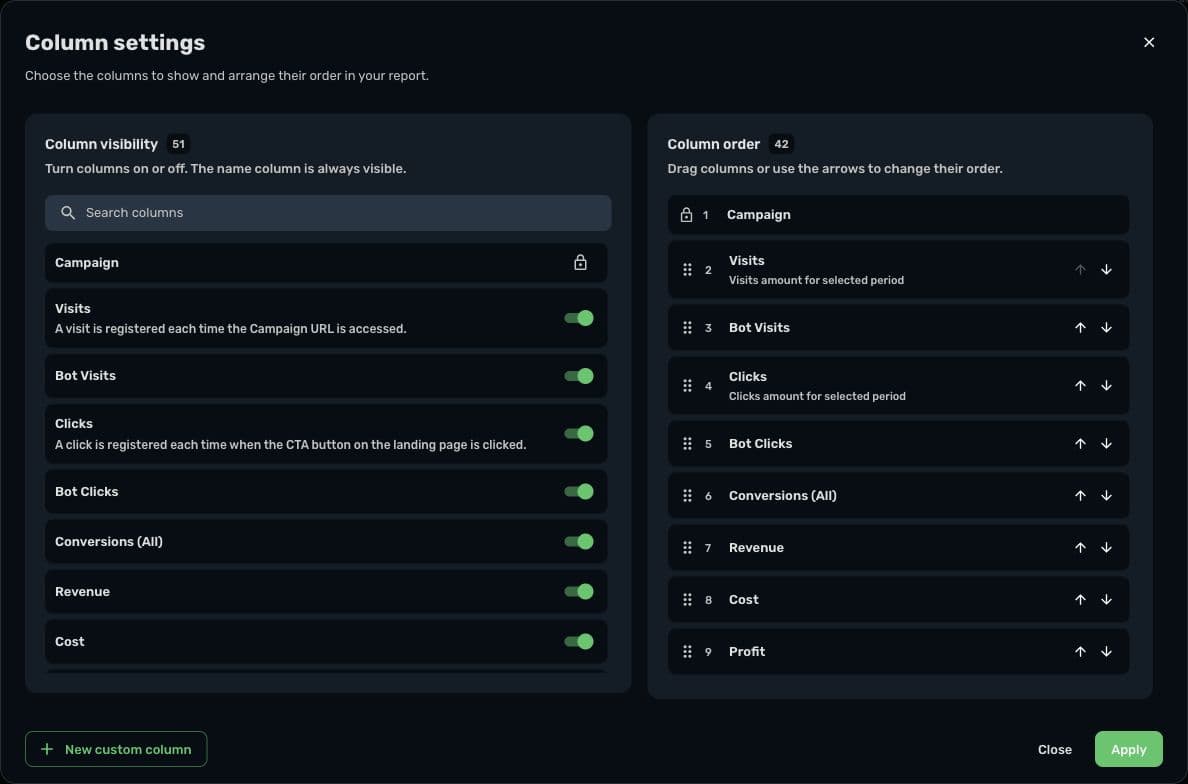
In Skro's campaign reporting and automation calculations, campaign profit is recorded revenue minus recorded campaign cost. Campaign ROI expresses that difference relative to cost:
Campaign profit = recorded revenue − recorded campaign cost
Campaign ROI % = campaign profit / recorded campaign cost × 100
With €1,500 of revenue and €1,000 of campaign cost, campaign profit is €500 and campaign ROI is 50%. The same inputs produce 150% ROAS and 50% campaign ROI. They describe different ratios, not contradictory results.
For these formulas and a positive cost value, campaign ROI percentage equals ROAS percentage minus 100. Outside a campaign report, a business may define ROI using additional investment costs. Always state the denominator when comparing figures.
Worked example: the same ROAS, two different outcomes
The following figures are illustrative and do not describe a Skro customer. Assume the affiliate payout is already approved and the store revenue is the amount attributed to its campaign.
| Item | Affiliate campaign | Ecommerce campaign |
|---|---|---|
| Recorded revenue | €1,500 in approved commissions | €1,500 in store sales |
| Advertising cost | €1,000 | €1,000 |
| ROAS | 1.5× | 1.5× |
| Profit above recorded advertising cost | €500 | €500 |
| Campaign ROI on that cost | 50% | 50% |
| Additional costs in this example | €100 in operating expenses | €600 in goods, fulfillment, and fees |
| Remaining amount after those costs | €400 | −€100 |
The campaign reports use the same revenue and advertising-cost inputs. The business outcomes differ because the ecommerce campaign has more costs outside that advertising figure.
This does not mean affiliate revenue is automatically net profit: hosting, subscriptions, staff, traffic expenses not included in the recorded cost, and other operating costs may still apply. It means that a payout and a sales total should not be treated as economically identical.
Use the campaign report to assess the return on its recorded cost. Use a complete cost model to assess the business result, and avoid subtracting a cost twice if it is already included in your chosen margin calculation.
Calculate a break-even ROAS from your margin
For ecommerce, define the share of sales revenue left after the relevant non-ad variable costs. If that pre-ad contribution margin is 40%, the simple advertising break-even calculation is:
Break-even ROAS = 1 / pre-ad contribution margin
Break-even ROAS = 1 / 0.40 = 2.5
At €2,500 in sales, a 40% pre-ad contribution margin leaves €1,000 to cover €1,000 of ad spend. That is break-even on this simplified cost model. It does not cover any fixed costs excluded from the margin.
This calculation assumes the margin estimate is appropriate for the products and period being evaluated. Returns, discounts, taxes, fulfillment differences, or a changing product mix can alter the inputs. State whether each item is included rather than assuming one universal break-even target.
Make the revenue definition match the decision
For affiliates, compare approved payouts when the decision depends on earnings the network has accepted. Keep pending events visible, but avoid silently treating all submitted conversions as paid outcomes.
For ecommerce, establish whether the revenue being compared includes shipping, discounts, taxes, refunds, and upsells. Use the events and values returned by the integration, then reconcile them with the store's records. Your tracker should not be expected to infer costs that were never supplied.
For RSOC, use the provider's synchronized earnings and allow for later adjustments. A ratio based on initial revenue can change while the advertising cost remains constant. The RSOC tracking article shows that effect with a separate example.
Skro's custom conversion settings control which event payouts contribute to headline revenue. Review those settings before drawing conclusions from the resulting ratios.
Read the totals before comparing campaign averages
Ratios can be misleading when averaged without weighting. If one campaign spends €100 at 3× ROAS and another spends €900 at 1× ROAS, the combined revenue is €1,200 against €1,000 of cost. Combined ROAS is 1.2×, not the simple average of 3 and 1.
Calculate a combined return from the combined revenue and cost for the selected scope. Compare the same currency and period. Investigate zero or missing costs before ranking rows; a ratio cannot establish profitability when the denominator has not been populated correctly.
Turn the metric into a clear next step
For your next review, write down three things: what the revenue represents, which costs the report includes, and which return would justify further investment under your own economics.
Use Skro reporting to compare recorded revenue, cost, profit, and return together. Verify your network or commerce integration and use the reporting reconciliation checklist when totals differ. Once the inputs are reliable, the Meta automation article explains how to test a rule around a meaningful threshold.